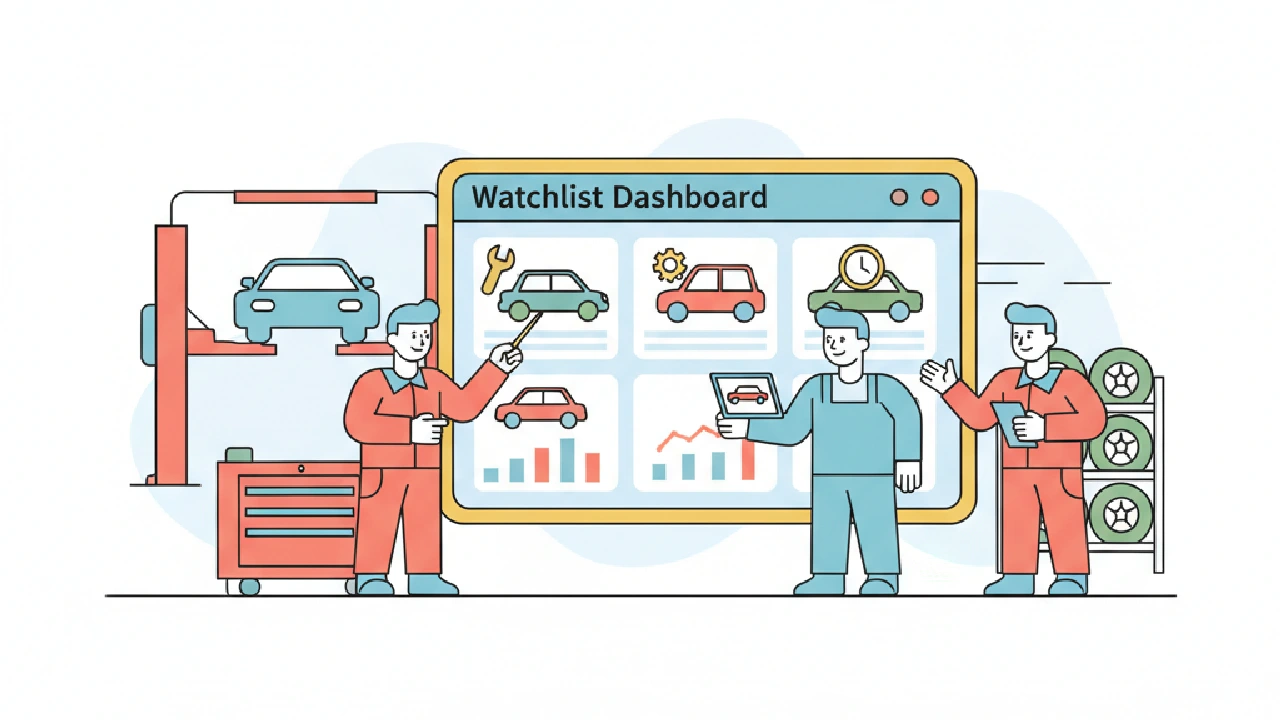
Running multiple cars through salvage auctions isn't for the faint of heart. It's a volume game, and every minute counts. Your AutoFlip Pro dashboard isn't just a list; it's your operations center. It’s where you separate the quick flips from the money pits, often before the auction even starts.
The core idea is simple: use the dashboard to pre-vet, track, and prioritize potential inventory. Don’t wait for auction day to start your research. Front-load the work, make informed decisions, and move fast.
Build Your Watchlist Right
A watchlist is only as good as what you put in it. For multi-car operators, this means ruthless filtering. Don’t dump every mildly interesting car in there. Focus on vehicles that fit your specific criteria:
- Damage Type: Stick to what you know. If you specialize in light front-end damage, filter out anything with flood, fire, or heavy rear-end.
- Vehicle Type: Are you moving sedans, SUVs, or trucks? Your inventory focus should drive your watchlist.
- Geography: Factor in transport costs immediately. Look at vehicles within a reasonable radius for your haulers. A cheap car 1,000 miles away isn't cheap after transport.
- Title Type: Clean title vehicles move faster and typically command higher ARVs, but salvage titles can offer bigger spreads if you know your market. Decide your risk appetite upfront.
Use the Auctions Watchlist filtering capabilities within AutoFlip Pro. Create saved searches that automatically populate your watchlist with relevant vehicles. This saves hours of manual scanning.
The “Max Bid” Math
This is where profits are made or lost. Before you place a single bid, know your maximum. It's not a guess; it’s a calculation:
ARV (After-Repair Value) - Repair Estimate - Buyer Fees - Transport - Detailing - “Oh Shit” Fund = Max Bid
Let's break down a quick example. You’re looking at a 2018 Toyota Camry with light front-end damage. Similar models, clean title, are selling for $12,000 in your market (ARV). Your repair shop quoted $2,500 for parts and labor. Buyer fees (Copart/IAAI) average $600 for a car at this price point. Transport from the yard is $200. Detailing is $150. Always factor in a 10% “Oh Shit” fund for unexpected issues, so $1,200.
$12,000 (ARV) - $2,500 (Repairs) - $600 (Buyer Fees) - $200 (Transport) - $150 (Detailing) - $1,200 (Oh Shit) = $7,350 Max Bid
If the current bid or expected hammer price is above $7,350, you walk away. No emotion. The AutoFlip Pro dashboard shows you current bids and estimated values. Use these to quickly assess if a vehicle is even worth a deeper dive. The Max Bid Calculator handles these complex formulas automatically, providing an intelligent max bid based on market values, repair costs, transport, and your target profit margins.
Decoding Title Traps and Repair Surprises
The photo set and title status are not always the full story. Your AutoFlip Pro dashboard often shows critical title information, like “Runs & Drives,” “Engine Starts,” or specific risk factors that impact a vehicle's score. Pay attention to these.
- Salvage vs. Rebuilt: A salvage title means more hoops to jump through for registration and often a lower ARV. A rebuilt title means someone already did that work, potentially adding value. Know your state's rules. AutoFlip Pro's risk level calculation factors in title type, assigning points for clean titles and deducting for junk, parts-only, flood, or theft/recovery titles.
- Hidden Damage: Don't rely solely on photos. The “Oh Shit” fund exists for a reason. Frame damage not visible in photos, seized engines listed as “starts,” or undisclosed water damage can kill your margin. Cross-reference auction notes with photos. Look for bent frames, suspension components out of alignment, or flood lines in interiors.
- Market Comps: Your ARV isn't based on wishful thinking. Use market data from auction results, Craigslist, and Facebook Marketplace within a 50-mile radius. Don't compare a salvage title vehicle to a clean title sale without adjusting for the title difference. The AutoFlip Pro platform helps you track similar sales and provides a Clean Market Value estimate based on comparable listings.
Leveraging Dashboard Alerts and Reporting
Your AutoFlip Pro dashboard isn't just a static display. Set up alerts for new listings that match your criteria. This gets you eyes on fresh inventory before the competition. Think of it as a sniper scope:
- New Listing Alerts: Get notified instantly when a car meeting your specific damage, make, model, and year parameters hits the auction.
- Bid Change Alerts: Know when a vehicle you're tracking gets a new bid. This helps you gauge interest and adjust your strategy.
- Reporting: Export your watchlist data. Analyze what you bid on, what you won, and what your actual repair costs and ARVs were. This feedback loop is crucial for refining your Max Bid math and spotting trends. Are certain models consistently underperforming? Are your repair estimates too low for specific damage types? Use the data to improve your process.
The Auctions Watchlist in AutoFlip Pro allows you to track saved analyses, including their auction date, status, location, and risk level. You can filter by platform (Copart and IAAI) and risk level (low, medium, high), and manually mark vehicles as Won or Lost to refine your post-auction analysis.
Key Takeaways
- Filter ruthlessly: only add vehicles to your watchlist that fit your precise criteria.
- Calculate your Max Bid for every vehicle; stick to it. AutoFlip Pro's intelligent max bid calculator automates this for you.
- Understand title implications and anticipate hidden damage. AutoFlip Pro provides risk level calculations factoring in title type and sales history.
- Leverage alerts for new inventory and bid changes.
- Analyze your data to continually refine your buying strategy.
FAQ
What is an AutoFlip watchlist dashboard?
An AutoFlip Pro watchlist dashboard is a centralized tool for multi-car operators to track, analyze, and manage potential vehicle acquisitions from salvage auctions. It allows for pre-vetting, bid calculation, and monitoring of various auction listings in real-time or near real-time.
How do I calculate the After-Repair Value (ARV) for a salvage vehicle?
To calculate ARV, find recently sold vehicles of the same make, model, year, and trim with a clean title and similar mileage in your local market (within a 50-mile radius). Use auction results, classifieds, and dealer listings as your data points. Adjust for any differences like major options or market conditions. AutoFlip Pro helps by providing a Clean Market Value estimate based on comparable listings.
What should I do if a vehicle exceeds my calculated Max Bid?
If a vehicle's current bid or estimated hammer price goes above your calculated Max Bid, you should walk away. Overpaying on acquisition is a guaranteed way to erode profits and get stuck with underperforming inventory. Stick to your numbers.
How can I avoid common title and repair traps?
Always review all available photos and auction notes. Look for red flags like flood lines, structural damage, or "engine damage" remarks. Factor in a buffer (the "Oh Shit" fund) in your Max Bid calculation for unexpected repairs. Understand your state's requirements for converting a salvage title to a rebuilt title. AutoFlip Pro's risk level calculation provides insights into potential issues like title type and multiple sales entries.
Why is it important to use alerts and reporting features?
Alerts help you act fast on new inventory and monitor competitive bidding, giving you an edge. Reporting features allow you to analyze past performance, identify profitable patterns, and refine your buying strategy over time, turning raw data into actionable insights for better future decisions. The AutoFlip Pro Auctions Watchlist allows you to organize and review your saved analyses for ongoing refinement of your strategy.