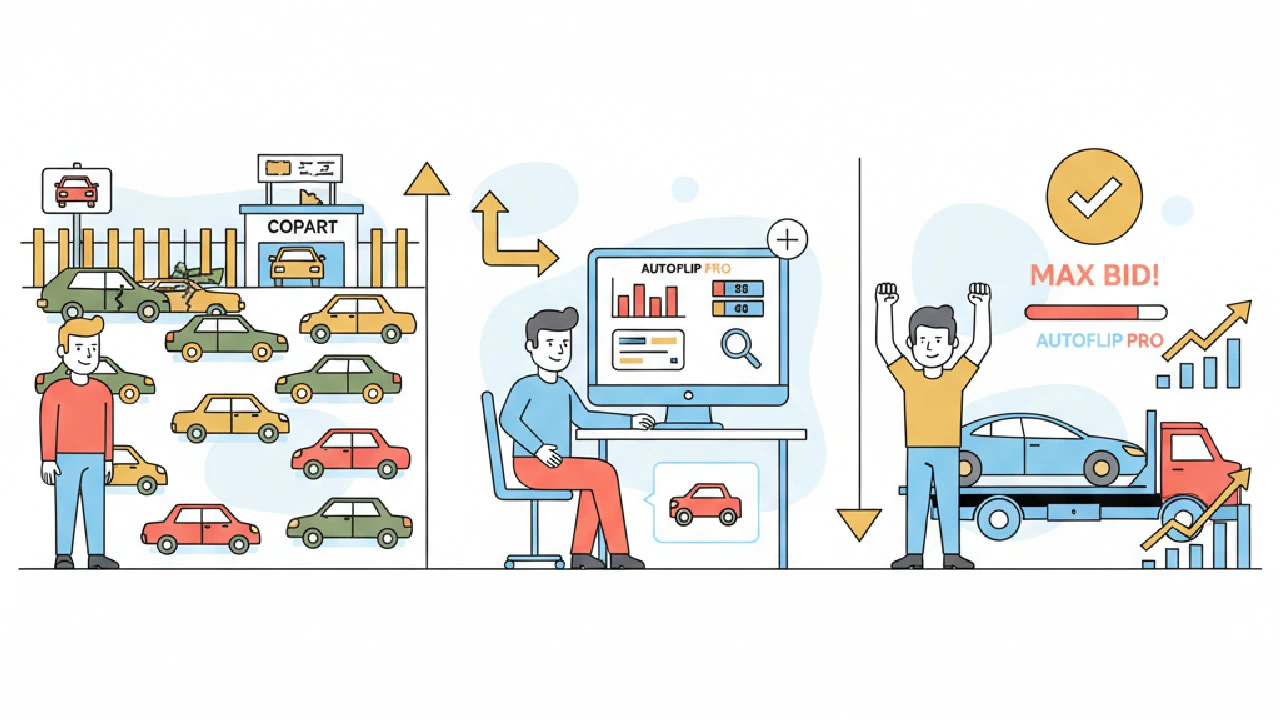
A hypothetical lot with an $18,000 clean market value can come out at a max bid near $5,600 once title discount, repairs, transport, fees, profit and risk come off the top. That gap is why the number on your screen matters more than the current bid. This walkthrough takes one Copart or IAAI lot from lot number to max bid inside AutoFlip Pro, the auto auction analysis tool, and shows what to check at each step.
It's not a lesson on the formula itself, and it's not a general first analysis guide. It's the click path: import the lot, read the market price, then read and pressure test the max bid before auction day.
Step 1: Set your defaults before you import a lot
The max bid is only as good as the inputs behind it. AutoFlip Pro pulls comparable listings near Your Zipcode and figures transport to your Default Destination. Both are required in Settings, and if they're missing you'll see a Setup Required prompt.
Two more defaults shape every number you'll see. Search Radius controls how wide the comp search runs. Target Profit Margin feeds straight into the max bid calculator.
We covered how to pick a radius and margin in setting your AutoFlip search radius and profit targets. If you sell in a different metro than where you live, set the zipcode for the market you actually sell in. Do this once, then stop thinking about it.
Step 2: Import the Copart or IAAI lot
Open Analyze Vehicle from the sidebar. Enter the VIN or the lot number from the Copart or IAAI listing, then run the analysis. AutoFlip Pro also supports bid.cars lots.
Here's what the import does on its own, per the Help Center:
- Pulls year, make, model and trim
- Downloads and organizes the listing images
- Retrieves sales history from the auction platforms
- Decodes the VIN for engine, transmission and features
- Grabs lot details like location and sale document type
- Calculates a risk level, estimates market value and calculates the max bid
That's the part you used to do with five browser tabs and a spreadsheet. Before you go further, confirm the decoded year, trim and title type match the listing. A wrong trim throws off every comp downstream.
Step 3: Read the market price, and how sure it is
The first number to look at is Clean Market Value. AutoFlip Pro estimates it from the vehicle specs, market data and comparable listings in your area. It's a clean title number, so it's the starting point, not what you'll actually get.
Right next to it sits Market Value Confidence, rated High, Medium or Low. Treat that rating as a filter. A High confidence estimate on a common sedan is a number you can work with.
A Low rating usually means thin comps for that trim near you. In that case, pull your own comps before you trust the max bid. Our guide to ARV comps for Copart and IAAI max bids walks through that by hand.
On a Low rating, verify the market value yourself or pass on the lot.
Step 4: Read the max bid line by line
AutoFlip Pro builds the max bid in a fixed order. Knowing the order tells you which line to question when the number looks off.
- Title discount comes off the clean market value to give an adjusted market value.
- Transport is distance times a rate per mile, using your default destination.
- Auction fees are a percentage of the adjusted market value.
- Target profit is your profit margin applied to the adjusted market value.
- Repair cost, a risk adjustment and any additional expenses come off last.
Here's a hypothetical lot run through that order. These are made up numbers for illustration, not market data.
- Clean market value: $18,000
- Title discount at 25%: $4,500, so adjusted market value is $13,500
- Repairs: $3,000
- Transport: 300 miles at $1.50 a mile, so $450
- Auction fees at 8% of adjusted value: $1,080
- Target profit at 20% of adjusted value: $2,700
- Risk adjustment: $500, plus $200 in additional expenses
That leaves a max bid of $5,570. Notice the title discount took more than the repairs did. On branded title cars, that line is where most bad bids start.
Want the reasoning behind each line? Read our Copart max bid strategy guide rather than rehashing it here. For real fee numbers on your account, check Copart fees explained, because the fee line in this example is only a placeholder percentage.
Step 5: Check the risk score before you trust the number
A clean max bid on a risky car is still a risky bid. AutoFlip Pro scores each lot from 0 to 100, starting at 70. Low risk is 70 and up, medium is 40 to 69, and high is under 40.
The biggest swing is sales history. Multiple Sold entries, or a Sold entry followed by a new Active listing, costs 40 points. That pattern often means the last buyer found something and walked.
Smaller factors include a verified insurance seller, runs and drives, engine starts, and title type. A flood title or junk title also carries a warning.
If the risk level reads High, lower your max bid or skip the lot. More on reading those patterns in spotting relists and title traps in sales history.
Step 6: Save it, share it, and track the auction
Once the numbers hold up, click Save to Your Auctions Watchlist. Saved lots show on your dashboard and in the watchlist, with auction date, status, location and risk level.
Status updates on its own based on the auction date and sales history. Mark the lot Won or Lost when it closes. Analyses that are never marked Won or Lost get deleted after 60 days, so mark them if you want the record.
Need a second opinion from a mechanic or the person fronting the money? The Share button on the analysis page makes a view only link with the market values, risk score and max bid. Send that instead of screenshots.
Before You Place Your Max Bid, Check This:
- Your zipcode and default destination are set to where you sell and where the car goes
- Decoded year, trim and title type match the auction listing
- Market Value Confidence is High or Medium, or you pulled your own comps
- The repair number is based on quotes or your own parts pricing, not a guess
- The fee line matches your actual buyer fees for that lot and account
- Sales history shows no repeat Sold entries or relists
- The lot is saved to your watchlist with the right auction date
- You've written down your max bid and you'll stop there
Where AutoFlip Pro fits, and what it costs
If you want to test the lot to max bid flow before paying, you can run a free Copart or IAAI lot analysis with no sign up. The free scan gives you vehicle details, a risk snapshot and market context on a limited number of scans.
Paid plans start with a 7 day free trial, and a credit card is required. Starter is $29.99 a month with up to 100 vehicle analyses per billing period (the limit may vary), plus the risk score, max bid calculator, watchlist, Copart and IAAI import and share links.
Pro is $59.99 a month with unlimited Copart and IAAI lot scans and the flip side tools like portfolio pipeline, repair tasks and parts tracking. If you're new to the app overall, start with your first analysis in AutoFlip Pro for the bigger picture.
Key takeaways
- Set your zipcode, destination, search radius and profit margin before you import a single lot.
- Check the decoded trim and title type against the listing before you read any number.
- Treat Low market value confidence as a stop sign until you've pulled your own comps.
- Question the title discount line first, because on branded cars it often moves the max bid the most.
- Cut your max bid or pass when the risk level reads High.
FAQ
Can I import a lot by URL instead of a lot number?
Inside the app, the Help Center describes entering a VIN or lot number in Analyze Vehicle. The free analyzer at /try also accepts a pasted Copart or IAAI listing URL.
Where does the market price come from?
AutoFlip Pro estimates Clean Market Value from vehicle specs, market data and comparable listings near your zipcode. It then shows a High, Medium or Low confidence rating so you know how much to trust it.
Why is my max bid so much lower than the current bid?
Usually it's the title discount, repairs or your profit margin. Check each line against your own numbers, and if they hold, the current bid is simply too high for your plan.
Does the free analyzer give me the same numbers as a paid plan?
The free scan returns vehicle details, a risk snapshot and market context on a limited number of scans. Paid plans add saved analyses, the watchlist and the full max bid calculator workflow.