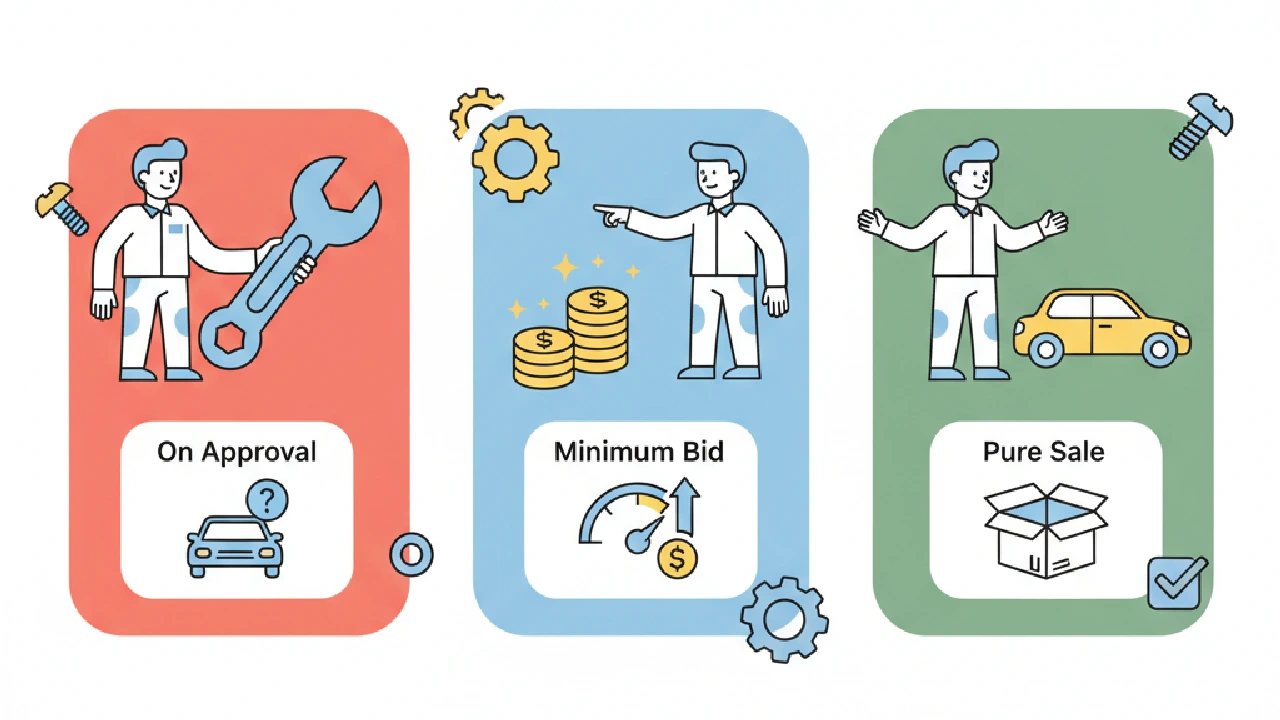
Being the high bidder on Copart does not always mean you bought the car. On a Pure Sale lot it does. On an On Approval or Minimum Bid lot, your high bid stays open and the seller gets until the next business day to accept it, reject it or counter it.
If you bid those the same way, you will either tie up money on cars you do not win or accept a counter that blows past your number.
The copart on approval meaning is the one most bidders get wrong, so it is worth taking the three statuses straight from Copart's own pages and then deciding how each one changes your max bid.
The three sale statuses, in Copart's words
Copart's Common Terms page defines Sales Status with three values.
Pure Sale means there is no minimum bid and no reserve price. The lot is awarded to the highest bidder when bidding closes in the virtual auction. This is the only status where the hammer ends it.
On Approval means the seller reserved the right to approve the final high bid from the virtual auction. Copart's Common Terms page says the seller has until 6:00 pm PST one business day after the sale to approve the bid, and the high bidder is obligated to buy the vehicle if the seller releases it inside that window. If the seller never releases it in time, that obligation does not kick in.
Minimum Bid means the seller placed a reserve price on the lot. If the bidding never passes that reserve, the same page says the seller has until 6:00 pm PST one business day after the sale to accept the bid.
So two of the three statuses leave you waiting. Check the sale status on the lot page before you bid, and decide whether you are willing to have your bid sit open until the next business day.
What a counter bid is, and the clock on it
Copart's Common Terms page defines a counter bid as a bid the seller makes against the high bidder's offer. Counter bids come right after the sale on vehicles the seller marked as Minimum to Bid or Bid to Be Approved.
The important sentence is the next one. Copart says that no matter what counter bids the seller makes, your high bid stays open for the seller to accept until 6 pm the next business day after the sale day. You do not get to pull it back because you cooled off.
Copart's Ways to Bid page describes the move from your side. When a vehicle sells with a Minimum Bid requirement or On Approval, the seller may send you a counter bid after the virtual live auction ends, and you can accept it, decline it, or send back your own counter bid. That page says you and the seller can trade counter bids until 5pm PT the next business day after the sale date.
Read those two clocks carefully, because they are not the same sentence. The Common Terms page gives the seller until 6:00 pm PST to approve or accept, and until 6 pm the next business day to accept your high bid. The Ways to Bid page gives the counter bid exchange until 5pm PT the next business day.
Both are Copart's pages, and both were read on October 15, 2026. Use the time printed on your own account that day rather than a number you remember from a forum.
Treat your high bid as binding through that window. Do not bid a number you would hate to pay if the seller simply accepts it.
How this changes the way you set a max bid
On a Pure Sale lot, your max bid is a ceiling and the auction stops at or below it. Bid it exactly the way you would any other car. If the bidding runs past your number, you are out, and that is the point.
On an On Approval lot you can still be the high bidder and lose. The seller looks at your number and decides. Bidding your true max is fine, because the seller can only say yes to a number you already chose.
What you should not do is stretch past your max to get the seller's attention. A yes at a bad number is worse than a no.
On a Minimum Bid lot, the reserve is the seller's floor. If your max sits under that floor, the only way you win is if the seller accepts a bid below it or you accept a counter. Both of those are the seller asking you to pay more than the auction produced.
Decide in advance whether you will move at all.
Here is a hypothetical, with made up numbers. Your max bid on a lot is $6,400 after fees, transport and repairs. You are the high bidder at $6,100 on an On Approval lot.
The seller counters at $7,200. That counter is $800 over your number, so the answer is decline. The fact that you led the bidding does not make $7,200 a good buy.
Write your max bid down before the auction and answer every counter against it. If the counter is at or under your number, accept. If it is over, decline.
Where the bid actually gets placed
Copart's Ways to Bid page splits the process into pre bids and live bids. You can place a pre bid once the lot is listed, up to 1 hour before the virtual live auction starts. If you hold the high pre bid, Copart's BID4U bids for you during the live auction, one increment at a time, up to the maximum you entered.
The Common Terms page says the same thing about BID4U. It bids one increment over the current bid to keep you on top, so you can buy the car for less than your maximum if the bidding never reaches it. That only helps you if the maximum you typed in is your real max.
If you pad it, BID4U will spend the padding for you.
Two tie rules are worth knowing. Ways to Bid says live bids win over pre bids of the same amount. And a Monster Bid, which Copart defines as a bid of one or more increments over the current bid, lets you jump the standard step during the virtual auction.
Enter your true max as the pre bid and let BID4U work. Save live bidding for lots where you want to watch the reserve behavior yourself.
Before You Bid an On Approval or Minimum Bid Lot, Check This:
- The sale status on the lot, read as Pure Sale, On Approval or Minimum Bid
- Your max bid written down, with fees, transport and repairs already out
- Whether you will accept any counter, and the most you will move
- That you can leave the bid open until the next business day
- The clock shown in your own account, not one you remember
- Your pre bid maximum set to your real number, not a padded one
- Whether you can leave that capital tied up until the next business day
Putting the status next to the number
Sale status tells you whether the number you bid is the number you pay. The number itself still has to be built right.
Our guide to setting a Copart max bid walks the title discount, repairs, transport and fees, and the Copart bidding mistakes that cost flips covers the errors that show up when the auction speeds up. For the fee line itself, use Copart fees explained rather than a round guess.
If you want the lot's numbers in front of you before you type a pre bid, you can run a free Copart or IAAI lot analysis and read the max bid before the sale. AutoFlip Pro, the auto auction analysis tool, imports the lot and builds the max bid from the market price, the title, the fees and your profit target, so the ceiling you give BID4U is one you can defend when a counter bid shows up.
Paid plans start with a 7 day free trial and a credit card is required. Starter is $29.99 a month with a capped number of vehicle analyses per billing period, and that cap may vary, plus the risk score, max bid calculator, watchlist, Copart and IAAI import and shareable links. Pro is $59.99 a month with unlimited Copart and IAAI lot scans.
Key takeaways
- Pure Sale awards the car to the high bidder. On Approval and Minimum Bid leave your bid open for the seller.
- Your high bid stays open for the seller to accept until the next business day, even if you get a counter.
- Answer every counter against the max bid you wrote down. Decline anything over it.
- Set your pre bid maximum to your real number, because BID4U will bid up to it.
- Read the clock on your account that day. Copart's own pages state the windows differently.
FAQ
If I am the high bidder on an On Approval lot, did I buy the car?
Not yet. Copart says the seller has until 6:00 pm PST one business day after the sale to approve the bid, and you are obligated to buy only if the seller releases it inside that window. Until then you are the high bidder, not the owner.
Can I cancel my bid after the auction if I change my mind?
Copart's Common Terms page says your high bid on a Minimum to Bid or Bid to Be Approved vehicle stays open for the seller to accept until 6 pm the next business day after the sale day, regardless of counter bids. Bid a number you can live with.
What is the difference between On Approval and Minimum Bid?
On Approval, the seller reserved the right to approve the final high bid. On Minimum Bid, the seller set a reserve, and only gets to accept or decline your bid if the bidding never passed that reserve. On both, the Common Terms page gives the seller until 6:00 pm PST one business day after the sale.
Why do Copart's pages give different times for the counter bid window?
They do. Common Terms says the seller has until 6:00 pm PST to approve or accept, and that your bid stays open until 6 pm the next business day. Ways to Bid says counter bids can be exchanged until 5pm PT the next business day.
Check the time shown in your account.
Should I raise my max bid so the seller approves it?
No. A seller can only approve a number you already accepted, and a counter over your max is a worse deal than losing the car. Decline it and spend the money on a lot that fits your number.